Ubuntu 24.04 & 26.04 · Free
Your Android phone as a webcam on Ubuntu
Camora turns your Android phone into a real webcam on Ubuntu. It adds a camera called “Camora” that Zoom, Google Meet and Microsoft Teams in your browser, and OBS all list like any other, over a USB cable or your Wi-Fi.
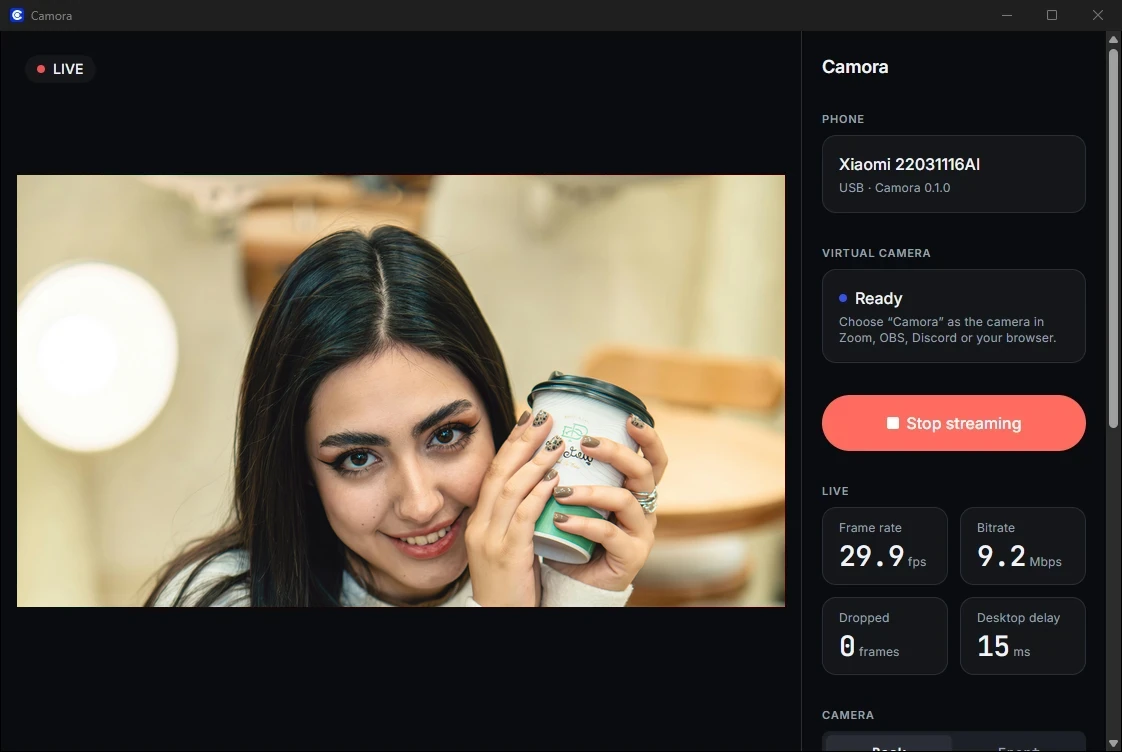
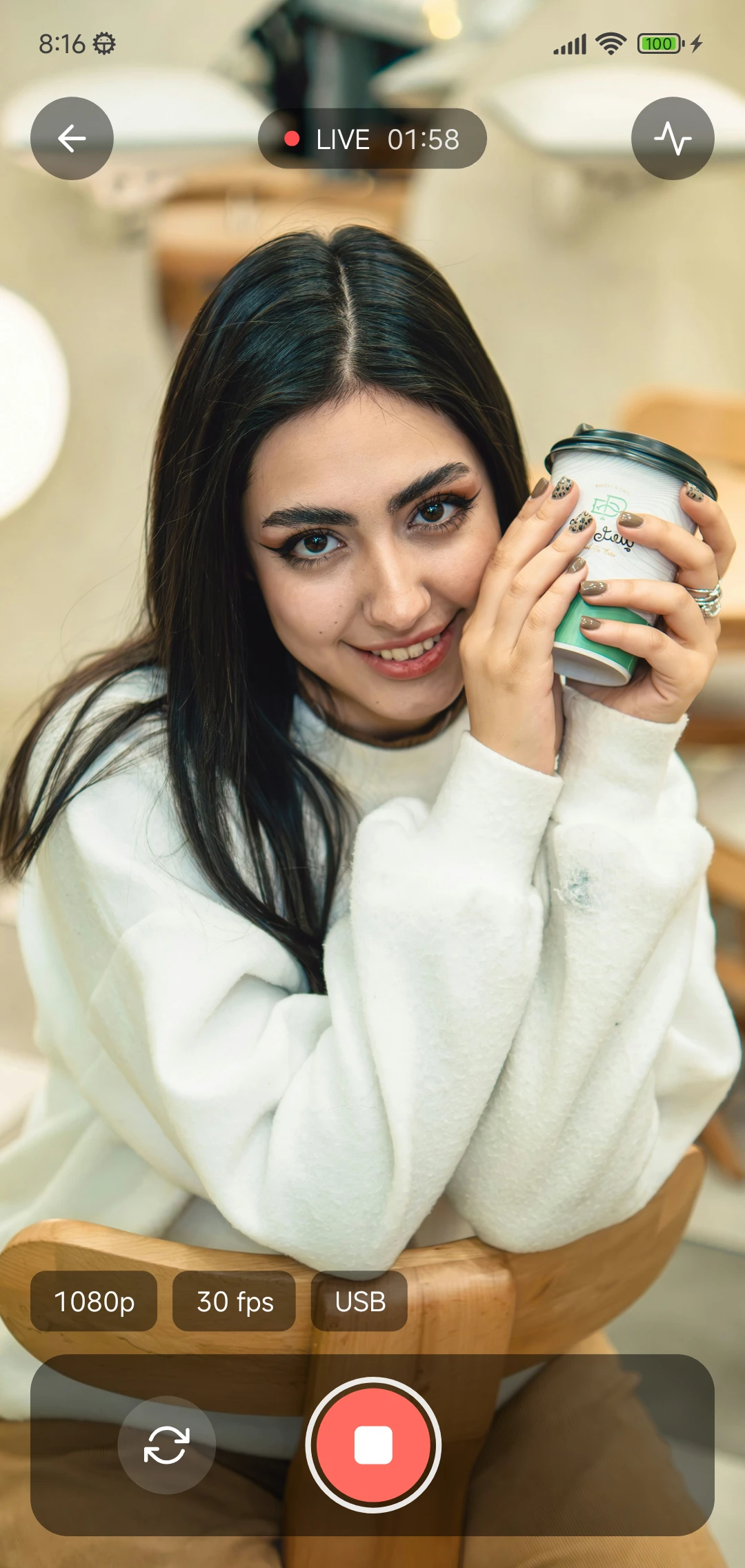
How it works
Made for Ubuntu, not ported to it
Camora comes as a .deb for Ubuntu 24.04 and one for 26.04, each built against that release's own libraries. Installing it sets everything up: the “Camora” camera, which loads at every start-up, and adb, which Camora uses to reach the phone over USB.
The camera is a v4l2loopback device. Ubuntu's own kernels (24.04 with the HWE kernel, and newer) already include that module, signed by Canonical, so it works with Secure Boot on and there's no DKMS driver to build or key to enrol.
On the computer, Camora decodes the video on your graphics chip (VA-API) when it can and falls back to the processor when it can't. Over Wi-Fi, the phone and computer find each other on your local network and the connection is encrypted; nothing goes through the internet.
Step 1
Install Camora on Ubuntu
Install the package
In a terminal, in the folder you downloaded it to:
sudo apt install ./Camora-Ubuntu-*.deb. This also installs adb, which Camora uses for USB, and turns on the “Camora” camera.Open Camora
Start Camora from your apps. Keep it open while you use the camera.
If Camora says the camera needs one install
Older Ubuntu kernels don't include the camera module. Install it with
sudo apt install v4l2loopback-dkms. With Secure Boot on, Ubuntu asks you to set a password, then on the next restart choose “Enroll MOK” and type it, or the module won't load.
Step 2
Install it on your phone
Install the app
Install Camora on your phone.
If you downloaded an APK file
Open it, and when Android asks, allow your browser or Files app to install apps. You can turn that off again afterwards.
Allow the camera
Camora asks for the camera the first time you open the camera screen. On Android 13 and newer it also asks to show notifications: allow it to see the “Streaming” notification with its Stop button.
Step 3
Connect the phone
USB gives the lowest delay and charges the phone. Wi-Fi needs no cable.
Turn on Developer options (once)
Settings → About phone → tap Build number 7 times. On Xiaomi tap OS version (or MIUI version); on Samsung it's under Software information.
Turn on USB debugging (once)
Settings → Developer options (sometimes under System) → USB debugging. Camora's Set up USB screen opens these pages for you and ticks each step when it's done.
Connect with USB
In Camora on the phone, choose USB cable and tap Connect with USB. The first time, the phone asks “Allow USB debugging?”: tick Always allow from this computer, then Allow.
Pair once
In Camora on the phone, choose Wi-Fi and tap Pair with a computer: it shows a 6-digit code. On the computer, click Pair next to your phone and type the code.
Step 4
Choose Camora in your app
- Zoom
- Settings, then Video, then Camera, then Camora
- Google Meet
- In Chrome or Firefox, in a call: More options (⋮), then Settings, then Video, then Camera, then Camora
- Microsoft Teams
- In your browser: Settings, then Devices, then Camera, then Camora
- OBS Studio
- Sources, then +, then Video Capture Device (V4L2), then Device: Camora
If something doesn't work
Ubuntu troubleshooting
- Camora is busy in another app
- On Ubuntu, like any webcam there, one app at a time can use Camora. Leave the call or close the browser tab that has it, then pick Camora again in the other app.
- Camora says the camera needs one install
- Older kernels don't include the camera module:
sudo apt install v4l2loopback-dkms. With Secure Boot on, set the password Ubuntu asks for, then choose Enroll MOK at the next restart. - The phone isn't found over Wi-Fi
- Both must be on the same network. If you turned on the ufw firewall, allow mDNS:
sudo ufw allow 5353/udp.
Questions
Which Ubuntu versions does Camora support?
Ubuntu 24.04 and 26.04, 64-bit, each with its own package. It's built and tested on those two.
Does it work with Secure Boot?
Yes. On Ubuntu's own kernels the camera module is signed by Canonical, so there's nothing to sign or enrol.
Is it free?
Yes: no ads, no watermark, no account, up to 1080p, and 60 fps if your phone supports it.
How much delay is there?
Over USB at 1080p we measured about 170 ms from the phone's camera to the laptop's screen on Ubuntu (about 150 ms on Windows).
Turn your phone into your webcam
Camora is free: install it on your Android phone and on your Windows 11 or Ubuntu computer, and you're live in a few minutes.
Download Camora