Windows 11 · Free
Your Android phone as a webcam on Windows 11
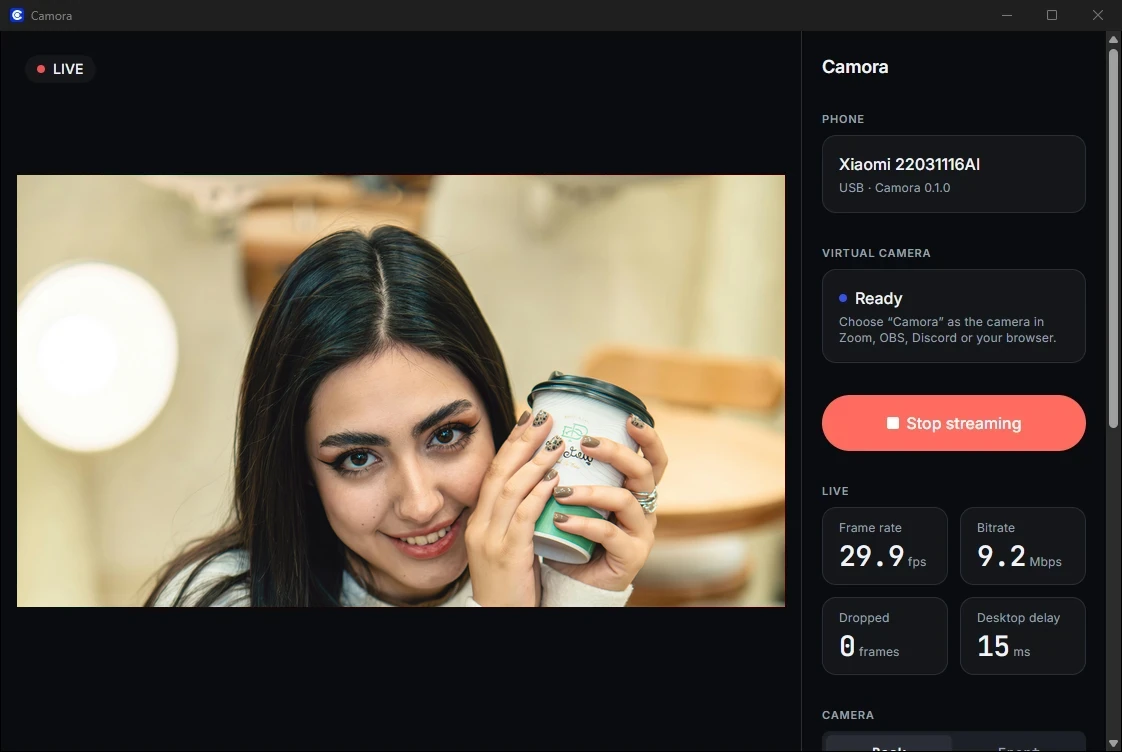
Camora turns your Android phone into a webcam on Windows 11. It adds a camera called “Camora” that every app lists, from Zoom, Google Meet and Microsoft Teams to OBS and your browser, over a USB cable or your Wi-Fi.
How it works
A real Windows camera
Camora uses Windows 11's own way of adding a camera, so “Camora” shows up in every app's camera list, just like a USB webcam. It's there while the Camora app is open.
Over USB we measured about 150 ms from the phone's camera to the screen at 1080p, quick enough to talk naturally. The computer decodes the video on your graphics chip, so it stays light on the processor.
The installer asks for administrator permission once, to add the camera for all your apps. After that, Camora runs like any other app.
Step 1
Install Camora on Windows
Run the installer
Open the Camora installer you downloaded (Camora-Windows-setup.exe).
If Windows warns you
Windows may say “Windows protected your PC” because the installer isn't signed yet. Click More info, then Run anyway.
Allow it once
Windows asks for administrator permission. Click Yes: Camora adds the “Camora” camera for all your apps.
Open Camora
Start Camora from the Start menu. Keep it open while you use the camera: “Camora” is in your apps' camera lists only while it runs.
Step 2
Install it on your phone
Install the app
Install Camora on your phone.
If you downloaded an APK file
Open it, and when Android asks, allow your browser or Files app to install apps. You can turn that off again afterwards.
Allow the camera
Camora asks for the camera the first time you open the camera screen. On Android 13 and newer it also asks to show notifications: allow it to see the “Streaming” notification with its Stop button.
Step 3
Connect the phone
USB gives the lowest delay and charges the phone. Wi-Fi needs no cable.
Turn on Developer options (once)
Settings → About phone → tap Build number 7 times. On Xiaomi tap OS version (or MIUI version); on Samsung it's under Software information.
Turn on USB debugging (once)
Settings → Developer options (sometimes under System) → USB debugging. Camora's Set up USB screen opens these pages for you and ticks each step when it's done.
Connect with USB
In Camora on the phone, choose USB cable and tap Connect with USB. The first time, the phone asks “Allow USB debugging?”: tick Always allow from this computer, then Allow.
Pair once
In Camora on the phone, choose Wi-Fi and tap Pair with a computer: it shows a 6-digit code. On the computer, click Pair next to your phone and type the code.
Step 4
Start streaming
Start streaming
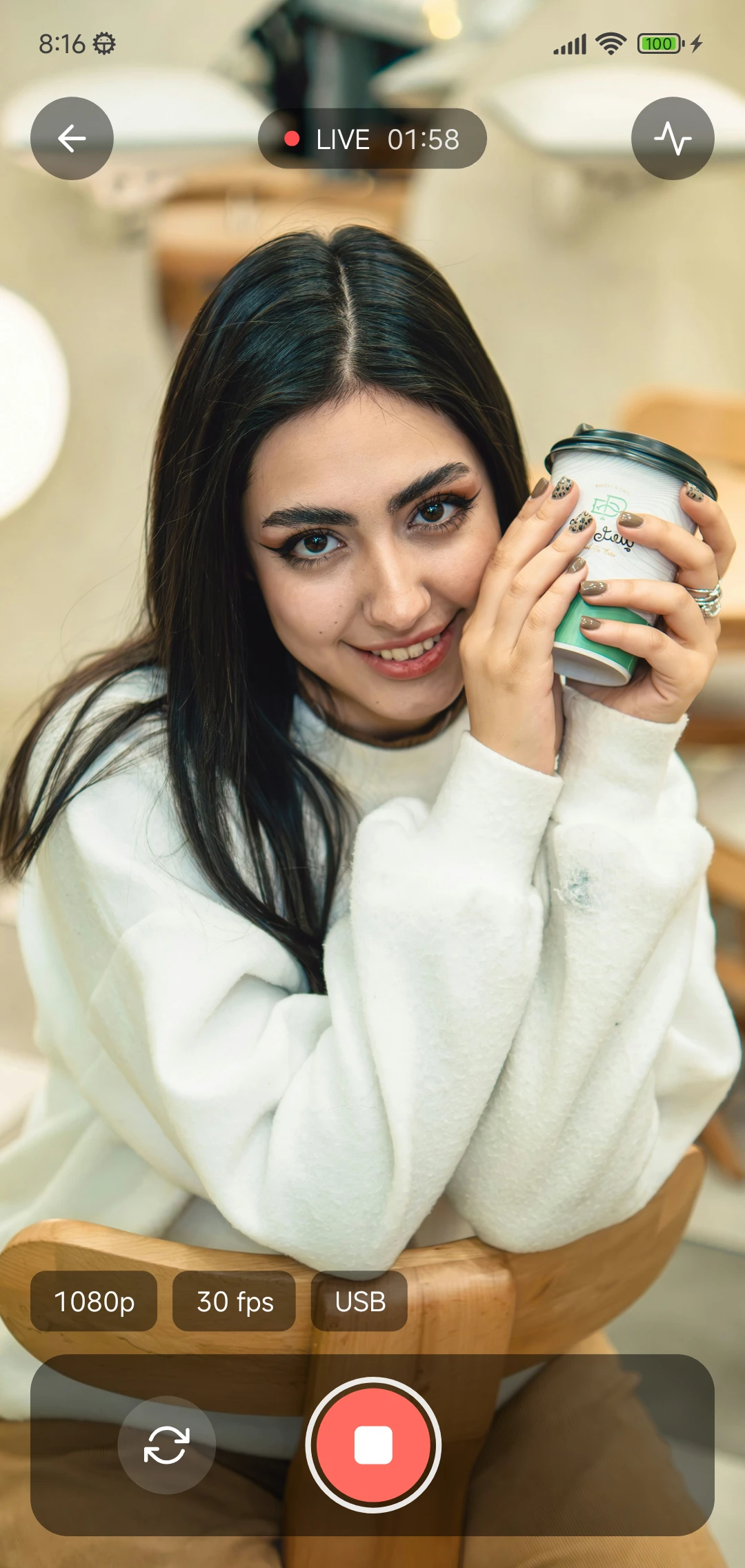
Tap Start streaming on the phone, or click Start streaming on the computer. You see the picture in Camora on the computer straight away.
Adjust it
Resolution (720p or 1080p), frame rate (30 or 60 fps), quality and front or back camera: change them on the phone, or from the computer while streaming.
Step 5
Choose Camora in your app
- Zoom
- Settings, then Video, then Camera, then Camora
- Google Meet
- In a call: More options (⋮), then Settings, then Video, then Camera, then Camora
- Microsoft Teams
- Settings, then Devices (or Devices & audio), then Camera, then Camora
- OBS Studio
- Sources, then +, then Video Capture Device, then Device: Camora
Questions
Does it work on Windows 10?
Not yet. Camora's camera uses a feature that Windows 11 added, so it needs Windows 11.
Can two apps use Camora at once?
Windows normally gives a camera to one app at a time. On recent Windows 11 you can share it: Settings → Bluetooth & devices → Cameras → Camora → Advanced camera options → Allow multiple apps to use camera at the same time.
Why does Windows warn about the installer?
The installer isn't code-signed yet, so SmartScreen may say “Windows protected your PC”. Click More info, then Run anyway.
Is it free?
Yes: no ads, no watermark, no account, up to 1080p, and 60 fps if your phone supports it.
Turn your phone into your webcam
Camora is free: install it on your Android phone and on your Windows 11 or Ubuntu computer, and you're live in a few minutes.
Download Camora